Google changed its search links, and the old “hover over it first” safety trick doesn’t work anymore on many results. Here’s why that matters for your bank login and the 60-second fix.
You used to be able to hover over a Google result to see where it really goes. Now some show a scrambled Google address instead, right as crooks are planting fake bank logins at the top of search results, friend. Here’s how the trick works and the bookmark that beats it.
Hover and out
🤯 WOW! Crooks are building fake bank websites that play dead. Check one directly, and it’s a blank page. Click it from a Google search, and it turns into a perfect copy of your bank’s login. These fakes jumped 40% in three months. And Google made my favorite “hover to check” trick useless on many results.
📖 Read time: 2 minutes




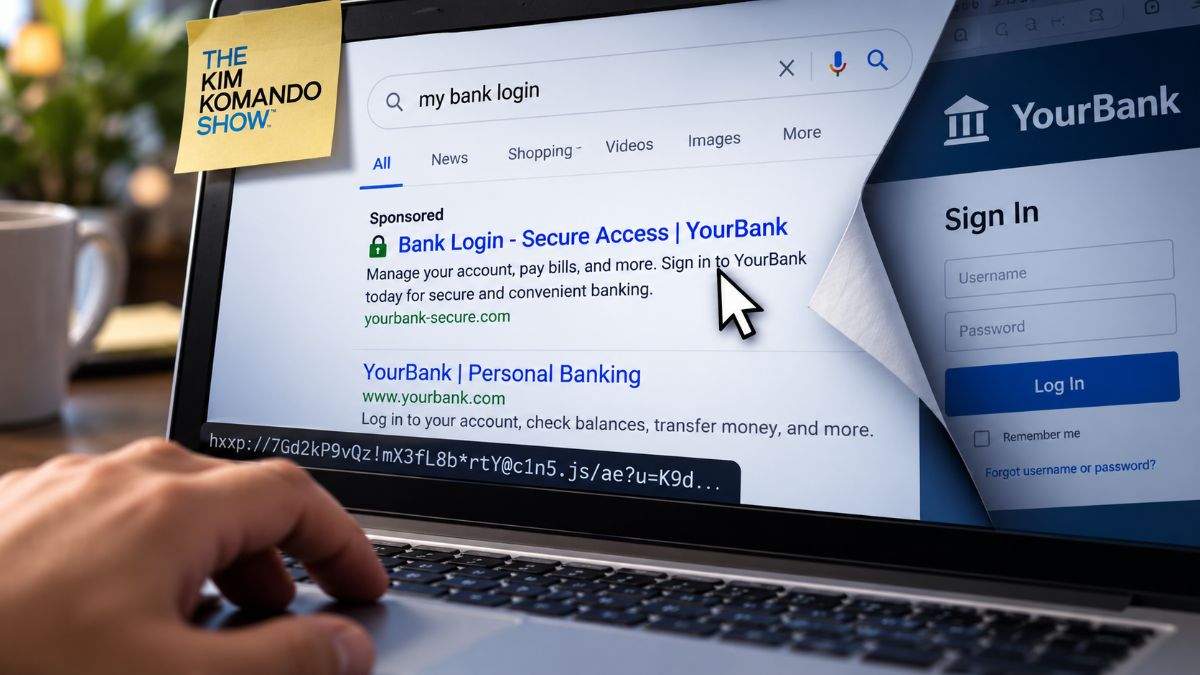 ChatGPT/Kim Komando
I need your help: Add Komando.com as a preferred source on Google
For years, I’ve told you one trick for spotting a bad link. Hover your mouse over it. Look at the bottom corner of your screen. See where it really goes.
Google broke that safeguard.
🕵️ What changed
Some search results now pass through a Google redirect first. Hover over one, and the corner of your screen shows google.com/goto?url= followed by a string of gibberish. Not the bank. Not the store. Google.
Google says it’s fighting “evolving forms of abuse.” It didn’t say which. My read: It’s about stopping companies from bulk-copying its search results. You got caught in the cross fire. You can’t check where a result leads before you click.
Google still prints a website name above each result. That’s a label. The hover was your second opinion. Now you get one, and it’s Google’s.
🦎 Why the timing stinks
Crooks game their way to the top of search results for phrases like “[bank name] login.” It works because that’s what you type when you’re in a hurry to pay a bill.
Here’s the sneaky part. Type the fake site’s address directly, and you get a dead, blank page. That’s what security scanners see, so they shrug and move on. Click it from a search result, and it turns into your bank’s login page. You type your password. They get your password.
The address looks close enough, your bank’s name with an odd ending like .ph.com. On a phone screen, you’d never notice.
🔒 Lock it down
- Stop googling your bank. Type the address yourself once, then bookmark it. In Chrome on a computer, click the star in the address bar. On iPhone Safari, tap Share > Add Bookmark.
- Better yet, use the bank’s app. Download it straight from the App Store or Google Play.
- Skip anything marked Sponsored when you’re looking for a login page.
- Read the address bar before you type a password. Your bank’s name should sit right before the .com, with nothing strange tacked on.
- Let your password manager play bouncer.* It only fills in your password on the real site. If it stays quiet, you stop.
The hover trick had a good run. Your bookmark never needed a search engine anyway.
Where does Google like to drink? The search bar.
📩 Send this to someone who banks online. Everyone.