Free tool turns a page of handwriting into a font you can type with
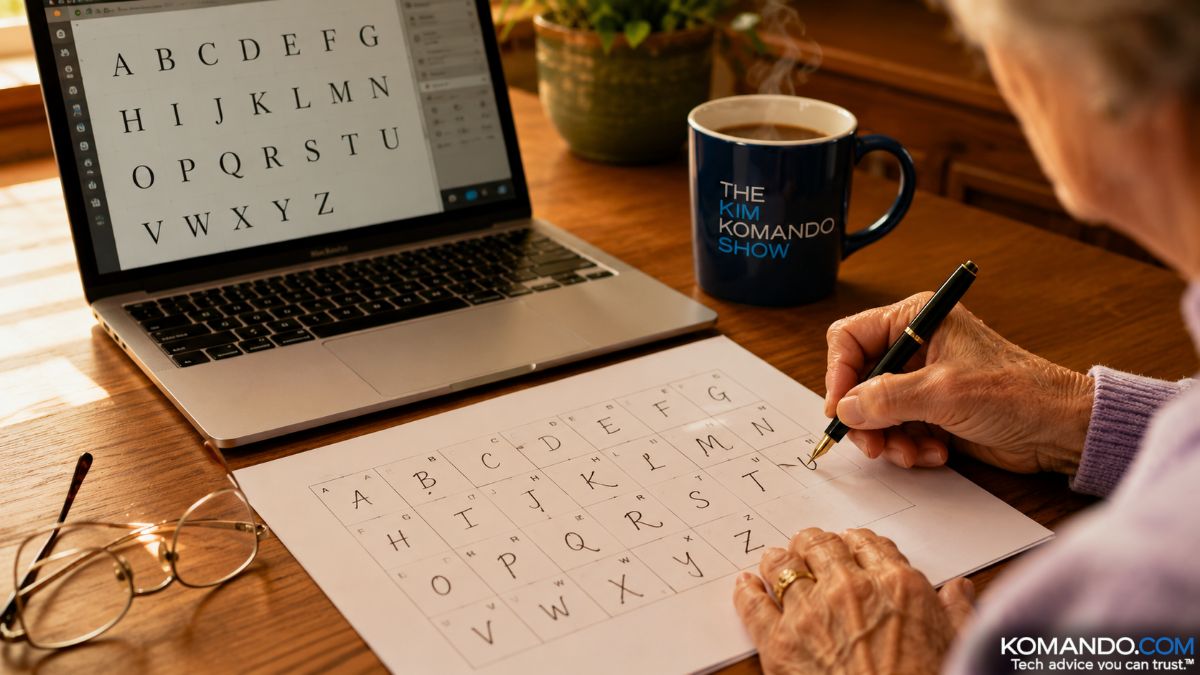
You can take a single page of your loved one’s handwriting and turn it into a font that works in Word forever. A son used this free tool to preserve his mother’s handwriting as Parkinson’s slowly took it away. Print the template, fill it in, upload the photo, done in 15 minutes.
🤯 WOW! One page of handwriting, one photo and a free tool give you a font of your loved one’s handwriting that works in Word forever. One son preserved his mother’s writing as Parkinson’s took her penmanship. It’s “something I can have one day when she’s not here.”
The Short Version: Print Calligraphr’s template, have your letter writer fill it in, photograph it, upload, download. Fifteen minutes.
📖 Read time: 3 minutes
 ChatGPT/Kim Komando
I need your help: Add Komando.com as a preferred source on Google
Handwriting is the last thing we have that a phone didn’t flatten. My father wrote in almost-block capitals, strong and deliberate, like every letter meant something. My mother wrote beautiful cursive, left-handed because, as she always told it, a teacher made her use that hand. You’d know either one across the room.
Now you can keep it. Not in a drawer. On your keyboard.
🖋️ The one-page project
A free web tool called Calligraphr (calligraphr.com) turns handwriting into a font file:
- Sign up free and download the template, one box per letter.
- Print it and hand it to your letter writer with a black pen. Fill in A through Z, numbers, punctuation. Takes 15 minutes, one coffee.
- Snap a photo of the finished page (or scan it) and upload it.
- Preview, nudge anything crooked and download your font as a TTF file.
The free plan covers 75 characters, plenty for the full alphabet, and the font is yours forever. On a PC, right-click the file and hit Install. On a Mac, double-click and choose Install Font. It shows up in Word next to Times New Roman, gloriously out of place. (Prefer a touch screen? Microsoft’s free Font Maker works on Windows, and the paid iFontMaker lets you draw on an iPad.)
One FYI on cursive: The free tool nails each individual letter, but joining flowing script is a Pro feature, so true loopy cursive comes out a touch separated. For block printing and most handwriting, it’s perfect. Want the letters to connect? Calligraphr Pro runs about $8, and you can cancel after a month. Also, Google Docs won’t accept custom fonts. Use Word, Pages or Canva.
❤️ Why you should do this one soon
A creative director named Morten Halvorsen preserved his mother’s handwriting as a font while Parkinson’s disease slowly took her penmanship. “She’s going to lose her handwriting,” he said. He named it Shake, a fundraiser for research: “something that I can have one day when she’s not here.”
That’s the assignment, friend. If your parents still write grocery lists, get a template into their hands this month.
But don’t stop there. Make the 7-year-old’s chaotic backward-S alphabet. Christmas letters, address labels, recipe cards in the family hand. A signature that outlives the pen.
When the font installs, type the writer’s name in it. Go ahead, I’ll wait. Turns out Grandma was just your type all along.
🎯 Send this to someone who still has letters in a shoebox and a mom with great cursive.
📱 Text-worthy: You can turn Grandma’s handwriting into an actual FONT you type with, free, from one handwritten page (calligraphr.com). Do this before it’s too late.



