🔧 How to use Gemini to find a plumber or book a doctor
I’ll show you how to connect Gemini with Angi, Zocdoc, Ticketmaster and Pandora, plus the prompt that handles the searching and the privacy trade-off hiding in the permissions.
 ChatGPT/Kim Komando
I need your help: Add Komando.com as a preferred source on Google
What’s new: Gemini can work with outside services instead of handing me a pile of search results and wishing me luck.
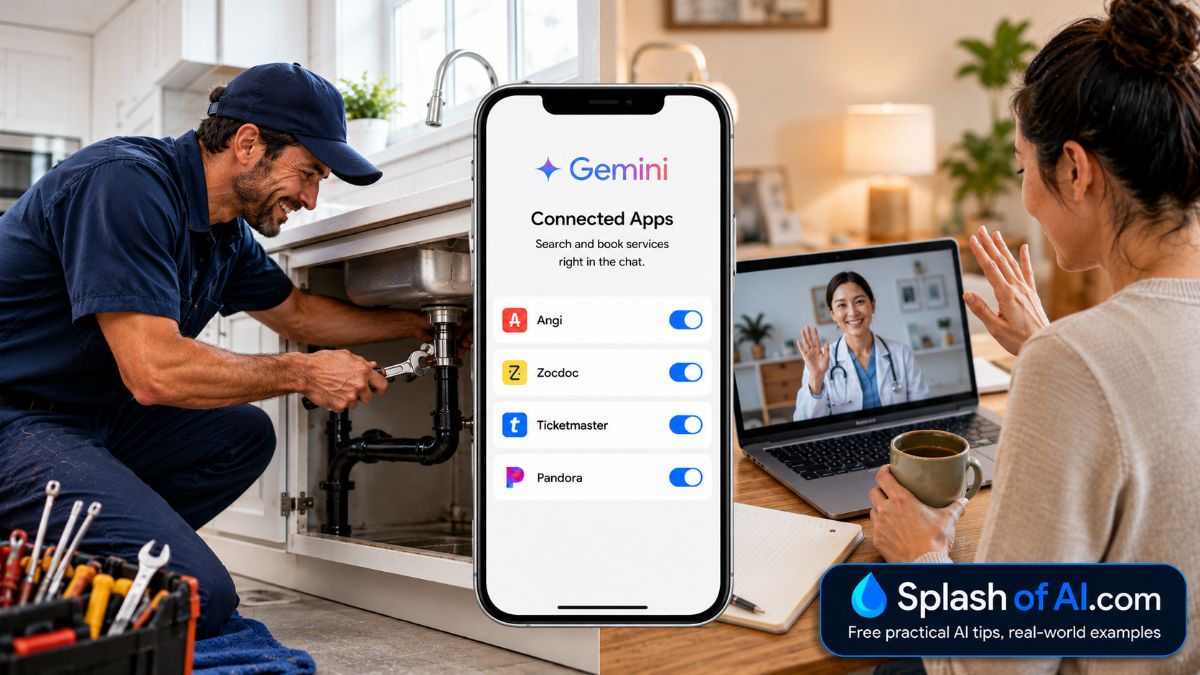
I can ask it to find a plumber through Angi, locate a doctor on Zocdoc, search Ticketmaster events or play music through Pandora. Each service needs a manual connection. Google doesn’t switch them on automatically, which I appreciate because surprise data sharing is rarely the good kind of surprise.
The feature is free and began rolling out this month. Google says the rollout happens in waves, so some accounts may not have it yet. Make sure your app is updated before trying.
Gemini on Android: Tap the profile icon > Select Connected Apps and choose Angi, Zocdoc, Ticketmaster and Pandora > Toggle on each service you want Gemini to use > Review and approve permissions when prompted.
Gemini on the web: Go to gemini.google.com and sign in > Click your profile icon > Select Connected Apps > Turn on each service you want to connect > Approve the connection > Follow any sign-in prompts from that service.
Gemini on iPhone and iPad: Open the Gemini app > Tap Menu > Tap your profile picture > Select Connected Apps > Turn on the services you want Gemini to use > Follow any sign-in or permission prompts.
If Connected Apps don’t appear under the profile icon, wait a week and check again.
📋 Try this prompt for medical service, but fill in with your own specifics:
Find a [pediatric dentist] in [Austin] with [Saturday hours] who [accepts Aetna]. Show me the earliest available appointments, and compare patient reviews. Don’t book anything until I choose one. When done, send me the confirmation details.
This is really cool because Zocdoc can book appointments from Gemini. Angi is a bit trickier. Gemini will help you find the right pro and transition into Angi. Saves you from starting from scratch, but it’s not completely hands off.
For home repairs:
Find a plumber near me for a leaky sink. Compare the top three services with a service cost [under $200] based on their ratings and earliest availability.
Read the final confirmation yourself. Gemini can’t negotiate repair bills, and an Angi estimate doesn’t stop a plumber from finding a more expensive problem after arriving.
Pro tip: You can type @Zocdoc, @Angi or another supported app directly into a Gemini prompt.
⚠️ The catch: Connecting an outside service shares your Gemini request info (chat details, location, when needed, etc.) with that company. Third-party services handle anything they receive under their own privacy policies. Disconnecting an app later doesn’t delete information shared. Keep unrelated medical, financial and personal details out of these chats, and never type payment information directly into Gemini.



