



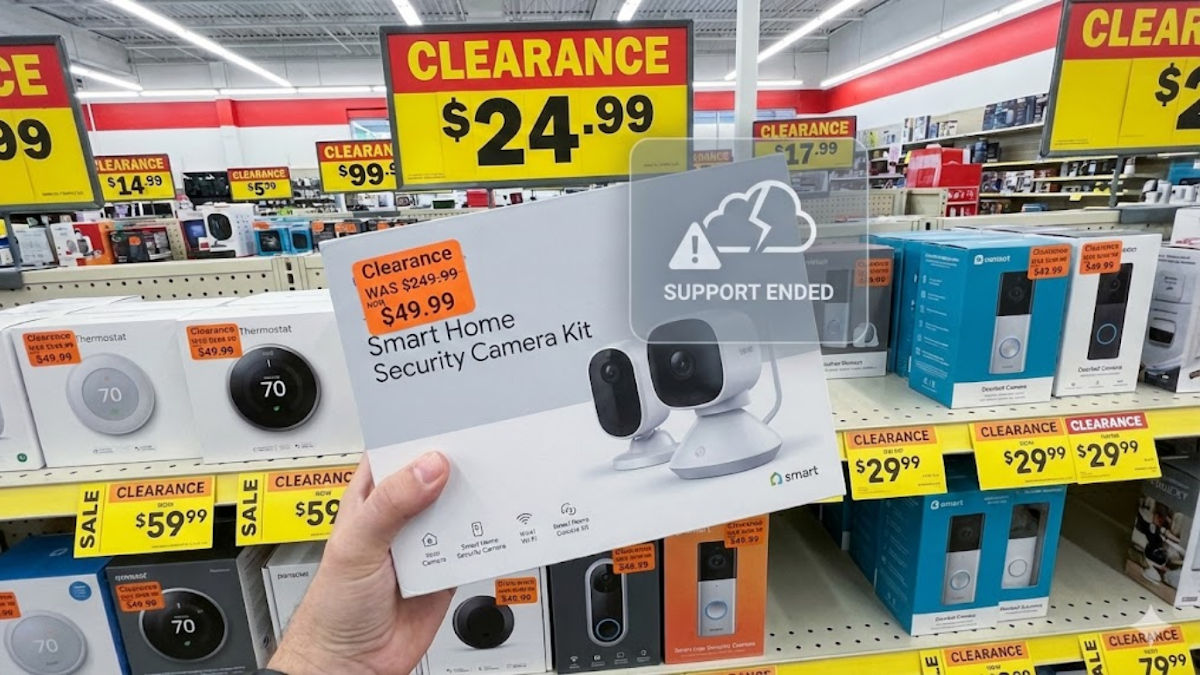
You’re walking through the clearance aisle at T.J. Maxx or Marshalls, or maybe you are scanning Best Buy’s discount shelf. A sleek smart thermostat or a security camera kit catches your eye. It looks brand new, and the price tag looks even better.
Original price: $249. Your price: $49.
It feels like you’re getting away with something. Not so fast, deal hunter!
📠 Old stock is a problem
Retailers are sitting on piles of old unsold gadgets. The wrap is crisp, and the hardware looks fresh. What you don’t see is the support life. Smart home devices work only as long as the company keeps the cloud service alive. Once support ends, the gadget loses its brain.
We watched Google do this with the Nest Secure alarm system. Everything still powered on, but the cloud service vanished and the device became decorative. And when Apple retired the iPhone SE this month, owners got a reminder that update clocks eventually run out.
Even if the gadget turns on, old smart devices often stop receiving security patches. Hackers love abandoned tech because it stays vulnerable forever.
🪦 How to avoid dead tech
Step 1: Check support status
Pull out your phone and visit https://endoflife.date/. This site tracks support timelines for thousands of products. If the model in your hand is listed as unsupported or nearing end of life, put it back. Or go AI fancy. Take a pic and ask your favorite AI chatbot what year it was made and whether it’s still supported.
Step 2: Look at the generation number
If the current version online is Gen 5 and the one you are holding is Gen 1 or Gen 2, support is already winding down.
Step 3: Inspect the companion app
Open your app store and search for the device’s control app. Tap the version history. Look at the date of the last update. Updated within the past six months is good. The latest update in 2023 means it is living in the past.
Step 4: Follow the 70% rule
If a smart home gadget is discounted more than 70%, it’s almost never a bargain. It’s usually an end-of-life dump.
Saving a few bucks is great. Bringing home a gadget that quits the moment you set it up is not.
🛍️ Know a bargain hunter? Forward this newsletter or share this post on your social media using the icons below, so they don’t buy junk as presents, or worse, they give it to you.