



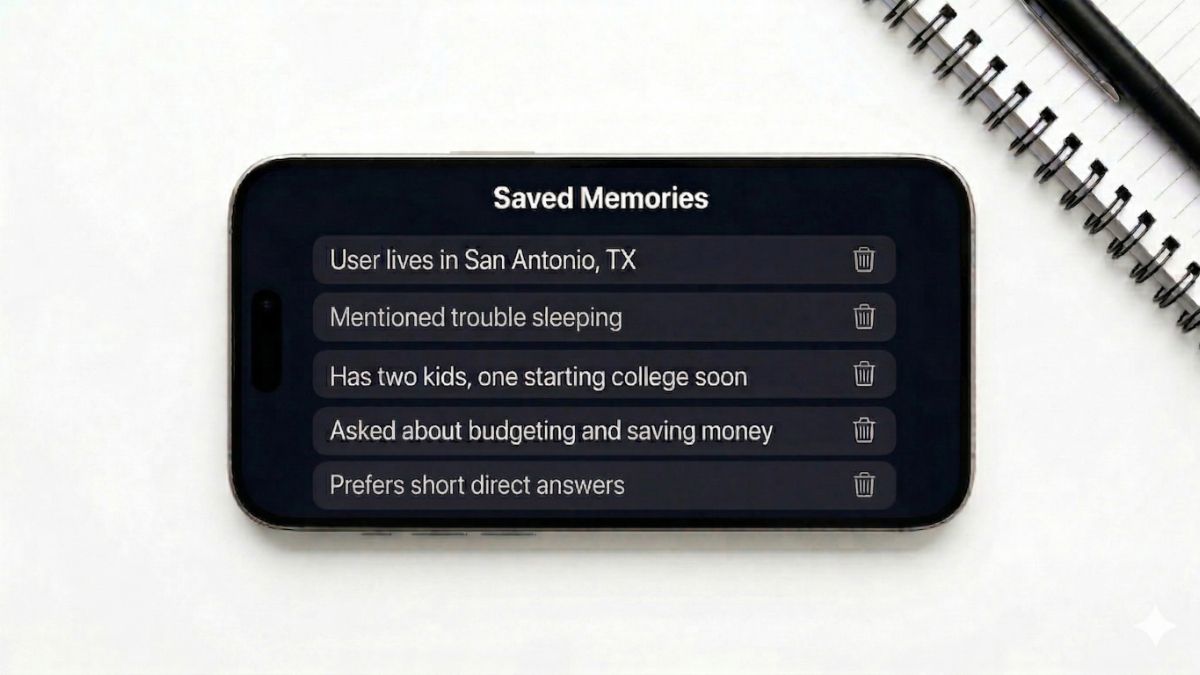
You’ve been telling ChatGPT things. Your job. Your health questions. Your money stress. Your relationship stuff. Maybe your kids’ names. Your city. Your age. And ChatGPT has been writing it all down.
OpenAI’s memory feature isn’t hidden. But most people have no idea it’s been running in the background this whole time, no idea what it’s saved and no idea how to check. That’s the problem.
😶🌫️ Here’s what you need to know
Memory works across all your chats automatically. Every conversation, ChatGPT can flag details it thinks are worth keeping about you: your title at work, where you live, physical conditions you’ve casually mentioned. It takes note of your communication style, family situation, political leanings and financial picture.
Over time, it builds a personal profile that travels with you from conversation to conversation. Not a short one, either. I checked mine. It knew things I’d completely forgotten I’d told it. Go look at yours.
👉 Open ChatGPT on your phone or computer. Click your profile picture in the bottom left on desktop, or the menu on mobile. Go to Settings > Personalization > Memory.
You’ll see a running list of everything it has stored. Some entries will be totally harmless. Others will make you do a double-take. Seriously.
🔍 3 moves to make right now
You’ve got options.
- Delete. If individual memories feel too personal, hit the trash icon next to any entry you want gone.
- Turn memory off entirely. Toggle it off under Settings > Personalization > Memory, and ChatGPT stops adding to the file. FYI, turning memory off is a two-way street. ChatGPT won’t build a profile on you anymore, but it also won’t remember a single thing about you. Your preferences. How you like things explained. Gone. Every conversation starts cold, like you just met. For some people, that’s exactly the point. For others, it makes the tool genuinely less useful. Only you know which side of that line you’re on.
- Memory lane closed. Use Temporary Chat for anything sensitive. Start a new chat and select Temporary Chat from the top. Nothing from that session gets stored. Not a word.
🔐 The step people completely skip
OpenAI trains its AI models on your conversations unless you tell it not to. Memory data included.
👉 To opt out, go to Settings > Data Controls and turn off Improve the model for everyone. One toggle. Thirty seconds. Done.
Deleting a memory from your list doesn’t scrub it from OpenAI’s servers. For a full data removal, submit a deletion request at privacy.openai.com. And if you’re on a ChatGPT Team or Enterprise plan, memory is off by default. Lucky you.
📺 One more thing about ChatGPT while we’re on the subject. Ask it for a recommendation, and suddenly, it sounds a little too into one air fryer. OpenAI has been testing ads for about six weeks, already hitting a $100 million annualized run rate with 600-plus advertisers. But get this. Self-serve ads are expected in April, which means more brands can pay to show up inside the same tool you use for trip plans and awkward emails.
📩 Send this to someone who uses ChatGPT every day and has zero clue this is happening. That’s the kind of friend you want to be. Use the share links below.