Verified badge. Dragged link. Both can wipe your accounts.
A verified X ad and a routine browser habit are being used to hijack Mac users and Microsoft 365 accounts alike. Here’s exactly how both attacks work and what stops them cold.
⚡ TL;DR
- Two new scams are hijacking things you’re taught to trust: verified badges and your Microsoft login.
- One targets Mac users through a fake app ad. The other steals Microsoft 365 access with nothing but a dragged link.
- If you use a Mac or a Microsoft account, you’re a target.
📖 Read time: 2 minutes
 ChatGPT/Kim Komando
Automatic cloud backup service for your photos and files. Get 60% off at Carbonite.com/Kim
July 10, 2026
You know that little blue checkmark next to some accounts online? It’s supposed to mean “this account is real, you can trust it.” Criminals figured out how to buy one and use it against you.
Your multifactor authentication won’t save you from two new attacks, one that hits Mac users, the other going after anyone with a Microsoft account. That’s basically everybody.
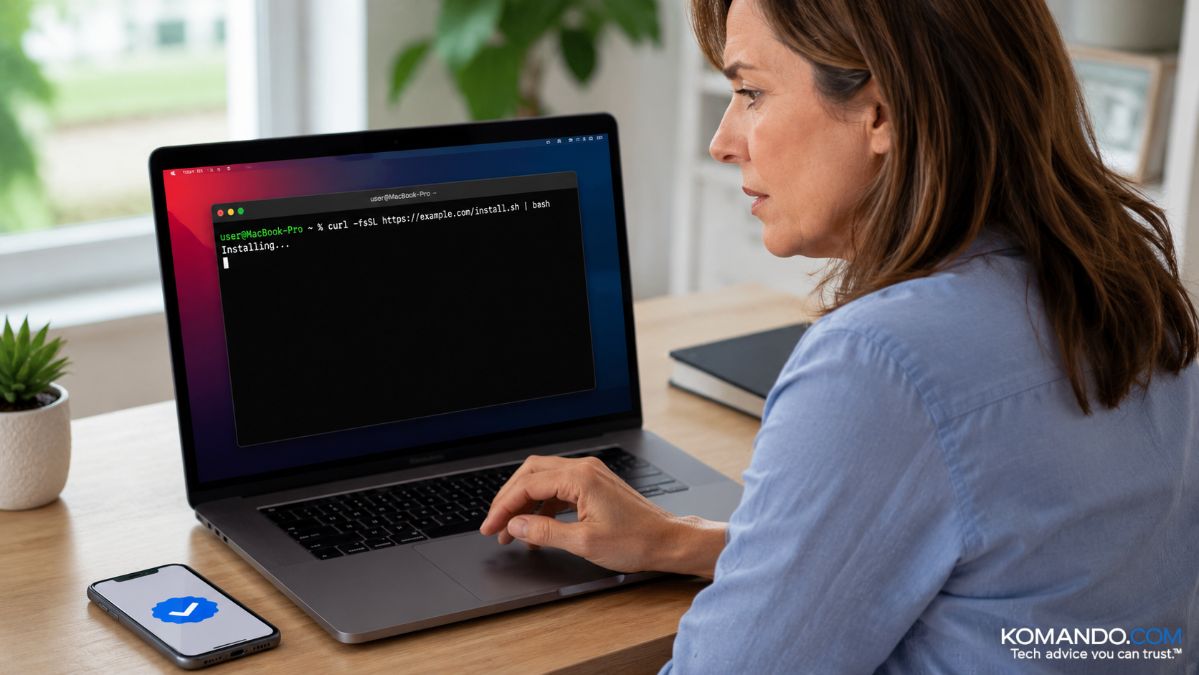
🍎 The Mac trap: Security researchers recently caught a sponsored, verified X ad promoting DynamicLake, a real Mac notch utility. The ad linked to a look-alike site, dynamicmacisland[.]com, that told visitors to paste a command into Terminal to “install” the app. Paste it, and a program quietly steals everything saved in your browser, passwords, autofill, even credit cards, and sends it to the criminals.
You installed it yourself. They handed you the shovel. Security folks call this a “ClickFix” scam, because the fake site convinces you pasting in code is the fix. It’s actually the infection.
🪟 The Windows trap: This one doesn’t even need a paste, and it’s worse. You get lured into dragging a link into your browser window. No download, no password typed. But that drag hands the attacker your login tokens, the digital wristband proving you’re already logged in.
A crook can waltz into your Microsoft 365 account, OneDrive, Teams and email within seconds, all without your password. Since you never typed credentials, your multifactor authentication never gets a chance to save you. Criminals are already sharing this technique on a Russian cybercrime forum.
🎯 This is why it keeps working
Every rule you’ve learned got broken: Watch for typos. Trust the badge. Trust your MFA. None of it works here. Windows or Mac, the entry point isn’t your device. It’s your habits.
Paid ads on searches and AI chatbot requests buy criminals credibility. A routine browser action buys them your accounts.
🛡️ What to do now
- Never paste a command into Terminal or PowerShell because a website told you to.
- Never drag a link into your browser on someone else’s instructions.
- Treat verified and sponsored posts like a stranger at your door. The badge means paid, not safe.
- Check the address bar, dynamicmacisland[.]com isn’t DynamicLake.
- Run real security software on Mac and PC both.
- If you got hit, change passwords from a clean device, sign out of all sessions and scan for malware.
☁️ Back it all up
Here’s the thing about scams like these. They don’t need to break into your computer when they can talk you into handing over the keys. And once your files are locked up or your accounts are drained, no amount of regret brings them back.
Carbonite plays a different game. It runs quietly in the background, backing up all your files, memories, years of work and more automatically to the cloud with 128-bit encryption, so a wiped hard drive or a ransomware note becomes an inconvenience instead of a disaster.
- Unlimited automatic cloud backup, nothing to remember to click
- 128-bit encryption locking down every file
- Coverage against ransomware, crashes, accidental deletion, hardware failure and theft
✅ Get 50% off Carbonite Safe right now. Setup takes minutes.
📩 Send this to anyone with a Mac, a Microsoft account or a habit of clicking first and thinking later.



