TSA warns you about fake airport Wi-Fi
One scammer got a 7-year prison sentence for tricking airline passengers. The weapon hackers use is legal and costs $100. And in a recent twist, criminals are compromising legitimate Wi-Fi networks at hotels.
🤯 WOW! Hackers hijack hotels’ legitimate Wi-Fi networks to steal Microsoft 365 work logins. And a guy who ran fake “free airline Wi-Fi” on packed flights? Seven years in prison. In one survey, 41% of American travelers had info stolen on public Wi-Fi.
The Short Version: Verify the exact network name, turn off auto-join, never type an email password into a Wi-Fi login page and run a VPN on hotel or airport Wi-Fi. Steps below.
📖 Read time: 2 minutes
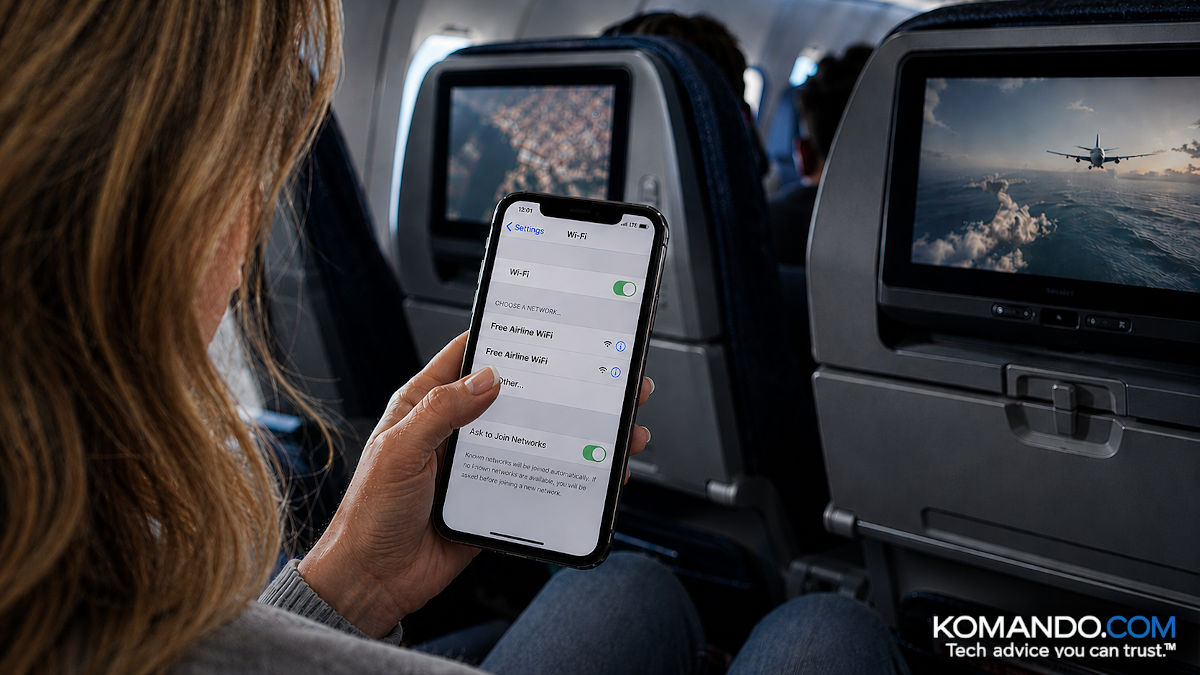 ChatGPT/Kim Komando

Protect your privacy. Get four months free when you sign up for a year at ExpressVPN.com/Kim.
July 31, 2026
I need your help: Add Komando.com as a preferred source on Google
Traveling used to be so easy. Now, logging into work email from your hotel room needs a tech talk.
Hackers found a way to rob you on the real Wi-Fi. Russia-linked crooks are breaking into hotels’ legitimate Wi-Fi gateways and rerouting guests to fake Microsoft 365 sign-in pages. No impostor network required. Researchers found hijacked systems in several U.S. cities. A hotel locks your door, not your data.
That’s the new trend. The old version? Still flying. Literally.
Picture a packed flight. Passengers connect to the free airline Wi-Fi, type in their email and password, then go back to their podcasts. One problem. The airline wasn’t running that Wi-Fi. The guy a few rows back was.
✈️ Busted at 35,000 feet
Airline staff spotted the look-alike network mid-flight. When the plane landed, police pulled a full hacking rig from the 44-year-old IT pro’s carry-on. This past November, a judge gave him seven years and four months.
That bust happened in Australia, but don’t exhale. The TSA’s standing advice is blunt: Skip free airport Wi-Fi. When Forbes Advisor surveyed 1,000 U.S. travelers, 41% had been compromised on public Wi-Fi. The top spot? On a plane.
The weapon? A Wi-Fi Pineapple, a gadget the size of a sandwich, sold openly online for about $100. Perfectly legal to own.
Your phone is chatty. It calls out for every network it’s ever joined. (“Marriott_Guest? You there?”) The Pineapple answers, “That’s me!” and your phone connects automatically. Then a fake login page asks for your email or social password. Game over.
🛡️ Lock it down before you check in or board
- Verify the name. Ask the front desk or gate agent for the exact network name. One character off? It’s a trap.
- Kill auto-join. iPhone: Settings > Wi-Fi, tap the network’s ⓘ, switch off Auto-Join. Android: Forget public networks when you’re done.
- Never type an email password into a Wi-Fi login page. Real portals don’t need your Gmail credentials. A surprise “sign in again” box? Close it. That request is the scam.
- Save the sensitive stuff for your phone’s hotspot. Banking rides on cellular.
- Flip on a VPN. On hotel or airport Wi-Fi, I turn on ExpressVPN first, a sponsor of my show. It scrambles everything before it leaves my phone, so even a hijacked network captures gibberish. Use this link to get four extra months.*
Knowledge is knowing a Wi-Fi Pineapple isn’t a fruit. Wisdom is never connecting to one. As for the Pineapple guy? He’s serving seven years in airplane mode.
🎯 Send this to someone who connects to anything with “free” in the name before their seat belt clicks.



