A woman ran a North Korean hacker hub from her living room, helping infiltrate U.S. banks, tech firms, and even a government contractor. George, your AI host, breaks down that story along with MrBeast lighting a man on fire for clout, Tile trackers leaking your location, Microsoft’s smarter comeback for Clippy, and why Mercedes is ditching touchscreens for real buttons.
Your phone’s more intimate than your diary
Our phones hold everything: photos, texts, money apps, health info, even our bad selfies. Handing over access to your partner? That’s not just convenient. That’s trust on a whole new level.
Some people think it’s the 2025 version of giving someone a house key. Others worry it’s a recipe for drama, or even the prequel to a Netflix true crime doc.
But done the right way, sharing your device can make life smoother and safer, and bring you closer. Let’s talk about a few smart ways to do it. Note: I’ve checked all these steps below, but depending on your device, operating system, make, model and whether Mercury is in retrograde, your steps may look a little different.
🧬 Share biometrics
Letting your partner unlock your phone with their Face ID or a fingerprint means no fumbling for passcodes. Great in emergencies or when one of you is driving.
- iPhone: Go to Settings > Face ID & Passcode (or Touch ID & Passcode). Enter your passcode, tap Set Up an Alternate Appearance (Face ID) or Add a Fingerprint (Touch ID), and scan your partner.
- Android: Settings vary, but generally go to Settings > Security & privacy > Device lock or Biometrics > Face recognition or Fingerprints. Add a new face or fingerprint and follow the prompts.
🛟 Set up emergency contacts
This makes sure your partner’s number shows up for first responders even if your phone is locked.
- iPhone: Open the Health app > Profile icon (upper-right corner) > Medical ID > Edit. Scroll to Emergency Contacts > Edit > Add Emergency Contact, select your partner, and save.
- Android: Open the Contacts app, pick your partner, and mark as Emergency Contact. Some phones (like Pixel or Samsung) also have Settings > Safety and emergency > Emergency contacts for more options.
📍 Share locations
Skip the “where are you?” texts. Location sharing keeps you connected, whether for safety or convenience.
- iPhone: Open Find My > People tab > Start Sharing Location. Choose your partner’s contact, then set it to share Indefinitely.
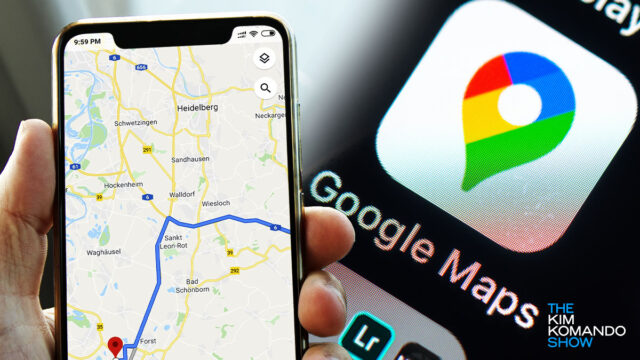
- Android: Open Google Maps > Profile icon (upper-right corner) > Location sharing > Share location. Pick your partner, set the time period (or Until you turn this off), and hit Share.
Your phone is tracking you even when you think it’s not
You know that little GPS icon that pops up when an app is using your location? That’s the polite part. The tip of the iceberg. The warm handshake before your phone whispers your every movement to Big Tech behind your back.
Arizona mom helped North Korea hack U.S.
When suitcase becomes suitchase: If you’re smart like me, you put AirTags inside your luggage. Now, Apple’s letting airlines track your lost luggage with you. Through the “Share Item Location” feature, you can give Delta, United and 30 other airlines a live link to your AirTag. Translation: No more awkwardly pointing at a map, saying, “It’s somewhere in Denver.”
We may earn a commission from purchases, but our recommendations are always objective.
⚡️ 3-second tech genius: In Chrome, you can get the weather in a snap. Type “weather” in the address bar to see a quick forecast (no need to press Enter). Want another location? Try “weather [state name].” Beats opening an app.
📶 Stay private wherever you connect: Internet providers can see (and sell) what you do online. I use ExpressVPN to stop that. It encrypts everything, hides your location and keeps you anonymous on any device with one tap. Get 4 extra months free at ExpressVPN.com/Kim.
🩸 50 cancers, one test: So there’s this new test, Galleri, that might spot more than 50 cancers from a single vial of blood. In a 23,000-person trial, it caught way more cases than normal screenings and even guessed the tumor’s location right 92% of the time. I can’t even guess my dog’s location that well.
📍 Share your location in Google Maps: Let friends or family see where you are in real time. Open the Google Maps app, tap your profile icon in the top right, then go to Location sharing > New share. Choose how long to share (like 2 hours), then pick who to send it to. FYI: You can also select Share via link for others.
🔍 Check site info in Chrome: See that little tune icon in your address bar (two lines with two circles)? Click it to view a site’s security and permissions. You see if your Connection is secure, and under Site settings, you can change what the site can access, like your camera, microphone or location.
Change where Windows saves screenshots: By default, pressing Windows key + PrtScn saves them in the Screenshots folder under Pictures. To choose a new location, right-click the Screenshots folder and go to Properties > Location > Move. Pick your new folder, and click Apply, then OK to save.
Got videos eating up space on your PC? HandBrake is a free tool that shrinks them down. Drag and drop your video into the app, choose a Save location, pick a Preset like Very Fast 1080p30, and click Start Encode. FYI: Quality may drop depending on the Preset, so keep testing until you find your sweet spot. This tip alone is worth the price of this newsletter.
Instagram is tracking you right now
Two creepy new Instagram features could expose your likes and location. If you value your privacy, turn them off now!
📁 Change where Chrome saves downloads: Want your files to land somewhere other than the default folder? Go to Settings > Downloads > Location > Change and pick where they should go. Or if you’d rather choose each time, go to Settings > Downloads and toggle on Ask where to save each file before downloading.
Science needs your frog pics: A massive new study confirms iNaturalist, a site where anyone can upload wildlife pics tagged with time and location, is driving thousands of research papers worldwide. With millions of uploads, the platform’s helped map species ranges, spot invasives and even rediscover lost animals. It’s kind of like Pokémon Go for real animals.
IG’s map is sus: Rolling out now, Instagram Map broadcasts your last app activity location to friends. Meta swears it’s off by default, but I don’t trust it and apparently neither does half the internet. Here’s how to turn it off: Go to your Profile and Tap the ≡ menu (top right). Select Story, live and location, tap Location sharing, and toggle off sharing.
🌤️ Weather shortcut in Chrome: On desktop, type “weather” in the address bar to see a mini forecast right away. You don’t even have to press Enter. Want a sky report somewhere else? Just add a location, like “weather Arizona.” Spoiler: It’s hot. 🥵
🔒 Your internet isn’t as private as you think. ExpressVPN shields your location, scrambles your data and blocks trackers from spying on you. Get four extra months free with this limited time offer.
Your phone will remember for you
Always forgetting things? Use your phone’s GPS to set location-based reminders that pop up right when you need them.
Never lose your friends again
Separated in the crowd? Drop a pin in Google Maps and share your live location. Here’s how.
Share your location on WhatsApp: Open the chat, tap the Paperclip icon, choose Location, then Share Live Location and hit Send. They’ll get a live-updating map showing where you are.