Google scams have four new faces. Here’s the checklist that beats all of them.
A Google Form, a calendar invite, a “Google Security” call, an AI Overview phone number. Four scams wear Google’s logo, friend, but the company insists it will never call you about security
🤯 WOW! A Nevada man asked Google for Royal Caribbean’s number. The AI Overview gave him one. The “agent” knew the Venice shuttle schedule, waived a fee and took his card. $768 in bogus charges in 24 hours.
📖 Read time: 2 minutes
 ChatGPT/Kim Komando
I need your help: Add Komando.com as a preferred source on Google
I hate that I have to write this for you. But you need to know. So buckle up, buttercup, and pay attention. These nasties are spreading, and I don’t want you or your loved ones to be victims.
🎭 Four faces, one family
The Google Form. A job offer or “account review” lands with a link to a form. It looks perfect, logo and all, right down to the disclaimer at the bottom. The address is the tell: forms.google.ss-o.com instead of forms.google.com. Fill it in, hit “Sign in” and your Gmail password belongs to someone in another time zone.
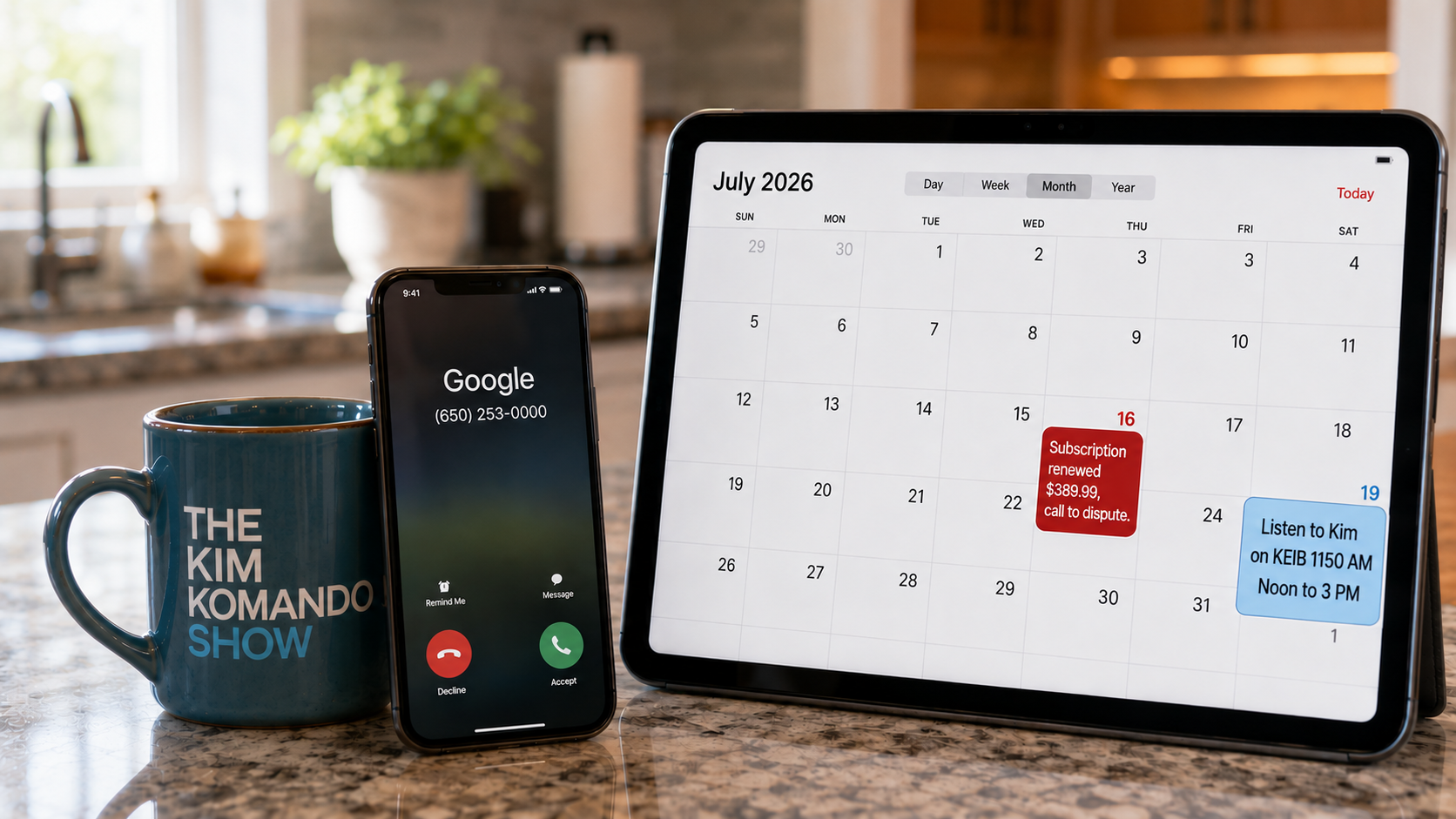
The calendar invite. You didn’t click anything. A “subscription renewed, $389.99” event appeared on your Google Calendar with a number to “dispute the charge.” Google Calendar auto-adds invites from anyone by default, so it skips your spam filter entirely. The number is the scam.
The “Google Security” call. Caller ID says Google, sometimes from a real 650 number the company uses for automated calls. A calm American voice says someone in Frankfurt is in your account and reads you a code to “secure” it. Google will never call you about your account security. Never.
The AI Overview number. Scammers seed fake support numbers on junk sites. Google’s AI reads those sites and serves the number at the top of your search. That’s what Alex Rivlin found when searching for a cruise, and he got scammed for $768.
🛡️ The checklist
- Calendar: On a computer, open Google Calendar > the gear symbol > Settings > Event settings > Add invitations to my calendar > switch to Only if the sender is known. Thirty seconds, and the invite scam is over.
- Phone: Google calls no one about security. Hang up. Then check for yourself at myaccount.google.com/security-checkup.
- Forms: Before you type, read the address bar. If “google.com” isn’t the last thing before the first slash, close it. A password manager won’t autofill a fake site. That’s your second alarm. I use and recommend NordPass.*
- Numbers: Never call a number from an AI Overview, an ad or a calendar invite. Get it from the back of your credit card or the company’s own site.
- Second search. Paste any number into Google with the word “scam” before dialing. Takes 10 seconds. Would’ve saved Alex $768.
Where do scammers hang out these days? The search bar. Order accordingly.
🎯 Send this to someone who trusts anything with the Google logo on it, especially if they also run the family calendar.
📱 Text-worthy: New Google scams: fake Google Forms, calendar invites with “dispute” numbers, “Google Security” calls and trap numbers inside Google’s AI answers. Google’s own page: “Google will never call you about your account security.” Calendar fix: Settings > Event settings > Only if the sender is known.



